Hosting Recipes as a Static Website
One command turns your recipe folder into a searchable website you can host for free on GitHub Pages or Netlify, or open straight from a USB stick.
You will use: CookCLI, GitHub Pages or any static host
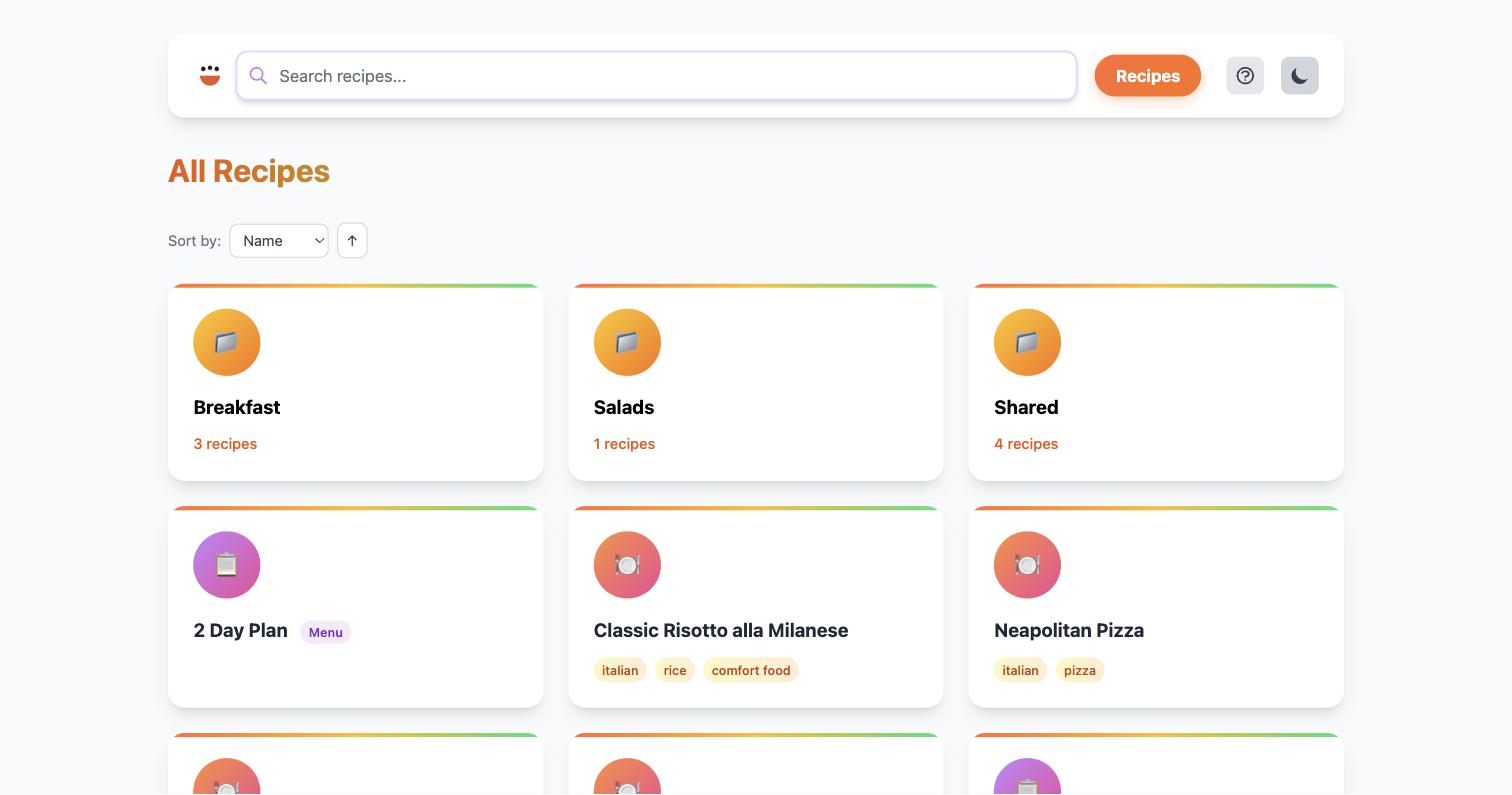
cook build web renders your .cook files into plain HTML, CSS and JavaScript, with a search index built in. There is no server process and no database, so the result can live on any static host, on a tablet's local storage, or in an email attachment. It is the read-only sibling of cook server: the same look, minus the features that need a running process.
What you need
- CookCLI 0.35 or newer
- A folder of
.cookfiles (cook seed ~/recipesgives you a sample one) - For publishing: a GitHub account, or any host that serves static files
1. Build the site
The site is in _site/. Open it without any server at all:
Links are relative by default, so browsing, folder navigation and search all work from file://. Re-run the command after editing recipes; it overwrites what changed and leaves the rest.
What you get, per _site/:
| Path | Contents |
|---|---|
index.html, directory/*.html | The recipe listing and one page per sub-folder |
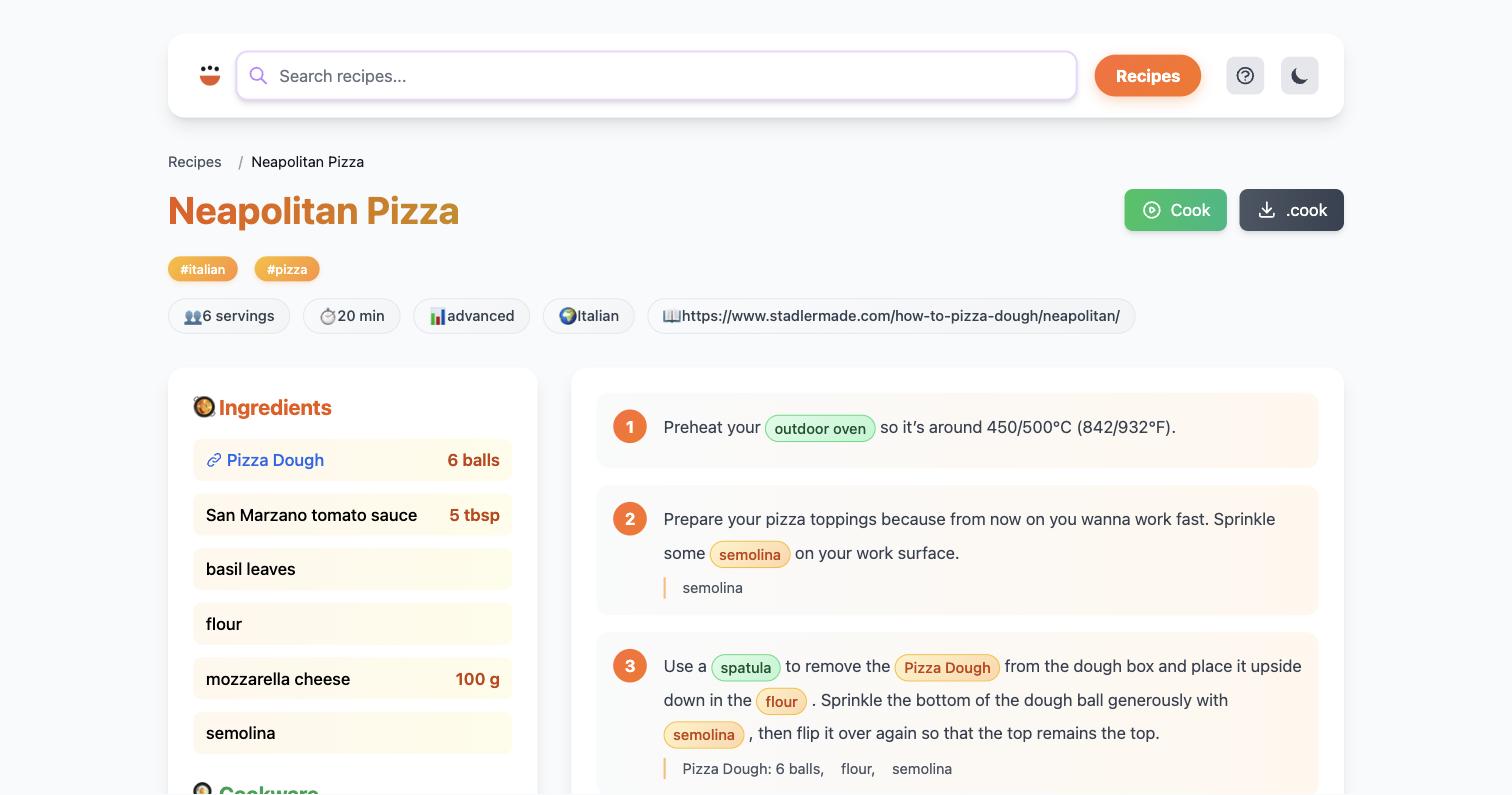
recipe/<path>.html | One page per recipe: ingredients, cookware, timers, steps, images |
recipe/<path>.cook | The raw source, linked from a download button on each page |
menu/<path>.html | Your .menu meal plans |
static/search-index.js | The search index the browser loads; no server round-trip |
Two options are worth knowing before you publish:
Recipe text is rendered as written; only the chrome is translated.
2. Publish it
GitHub Pages
Free, and a natural fit if the recipes are already in a repository. The simplest setup builds on your machine and pushes the output to a gh-pages branch:
In the repository's settings, under Pages, choose the gh-pages branch. The site appears at https://yourname.github.io/recipes/.
--base-url is needed here because GitHub Pages serves project sites under a sub-path. Leave it out if the site will sit at the root of a domain. A site built with --base-url only works over HTTP: every asset link becomes absolute, so opening it from disk gives you unstyled pages with no search.
To rebuild on every push instead, add a workflow to the recipe repository:
Netlify, Vercel, Cloudflare Pages
Drag the _site/ folder onto Netlify Drop for a one-off. For continuous deploys, connect the repository and set the build command to cook build web (after a step that downloads the binary as in the workflow above) and the publish directory to _site. No --base-url is needed; these hosts serve from the root.
Your own server, S3, or anything else
Any host that can serve files works:
If the site ends up under a sub-path and links break, rebuild with --base-url /that/path/. Pass --sitemap https://your-domain.example to emit a sitemap.xml for search engines, and --compress for hosts that serve pre-compressed .gz files.
A tablet, a USB stick, an email
Copy _site/ wherever you like and open index.html. Because nothing in it phones home, it keeps working with no network at all, which makes it a good format for handing a family cookbook to relatives.
3. Keep it fresh
The site is a snapshot. Rebuild whenever the recipes change: by hand, with the GitHub workflow above, or from a cron job on a machine that has the recipes. If you also run cook server at home, both share the same templates, so the published site looks like what you cook from.
Static site or live server?
Choose cook build web when… | Choose cook server when… |
|---|---|
| You want to share recipes with people outside your home | You want the household to use it day to day |
| You want free hosting with no maintenance | You want shopping lists, pantry and the editor |
| Readers need it offline on a phone or tablet | You want to scale recipes in the browser |
| The collection changes occasionally | The collection changes constantly |
The static site leaves out everything that needs state: shopping list and pantry pages, the editor and New recipe button, scaling controls, and Add to shopping list buttons. Readers can still download any recipe's .cook file and use those features in their own tools. For the live version at home, see the Raspberry Pi guide; many people run both.
Let the federation find it
A published site is also a good source for the Cooklang Federation. Keep the .cook files in a public repository and register it, and your recipes become searchable at recipes.cooklang.org while the pretty version stays on your site.
Troubleshooting
| Symptom | Fix |
|---|---|
| Site works locally but links 404 on GitHub Pages | Rebuild with --base-url /<repository-name>/. |
No styles or search when opened from file:// | The site was built with --base-url. Rebuild without it for local or USB use. |
| Recipe images missing | Images must sit next to the .cook file with the same base name (Pizza.jpg beside Pizza.cook). |
| UI is in the wrong language | The default is your system locale. Pass --lang en-US (or another supported tag). |
| A recipe renders oddly | Run cook doctor validate; a syntax slip in the source shows up as odd output. |
See also
cook build webreference: every option and the full output layoutcook server: the live counterpart- Publishing Your Recipes: federation registration
- Creating Cookbooks: the printable alternative