Getting Started
Cooklang is a lightweight, open-source format for writing and managing recipes in a structured, human-readable way. Your recipes are just text files, meaning you can store, edit, share and sync them across all your devices without being locked into a specific app or service.
Tailor this guide
What do you want to do?
Showing everything
Here's what a basic recipe looks like in Cooklang:
When processed using apps, this recipe extracts ingredients while keeping the instructions readable.
🚀 The 5-minute taste of the whole ecosystem
The fastest way to feel what Cooklang is about — get a collection, write and plan on the desktop, then carry it in your pocket.
Answer a few questions and get ~50 recipes tuned to your taste — no install needed.
Try Kickstart →Free desktop app for macOS, Windows & Linux to write, preview, and plan meals.
Download editor →Cook from your phone
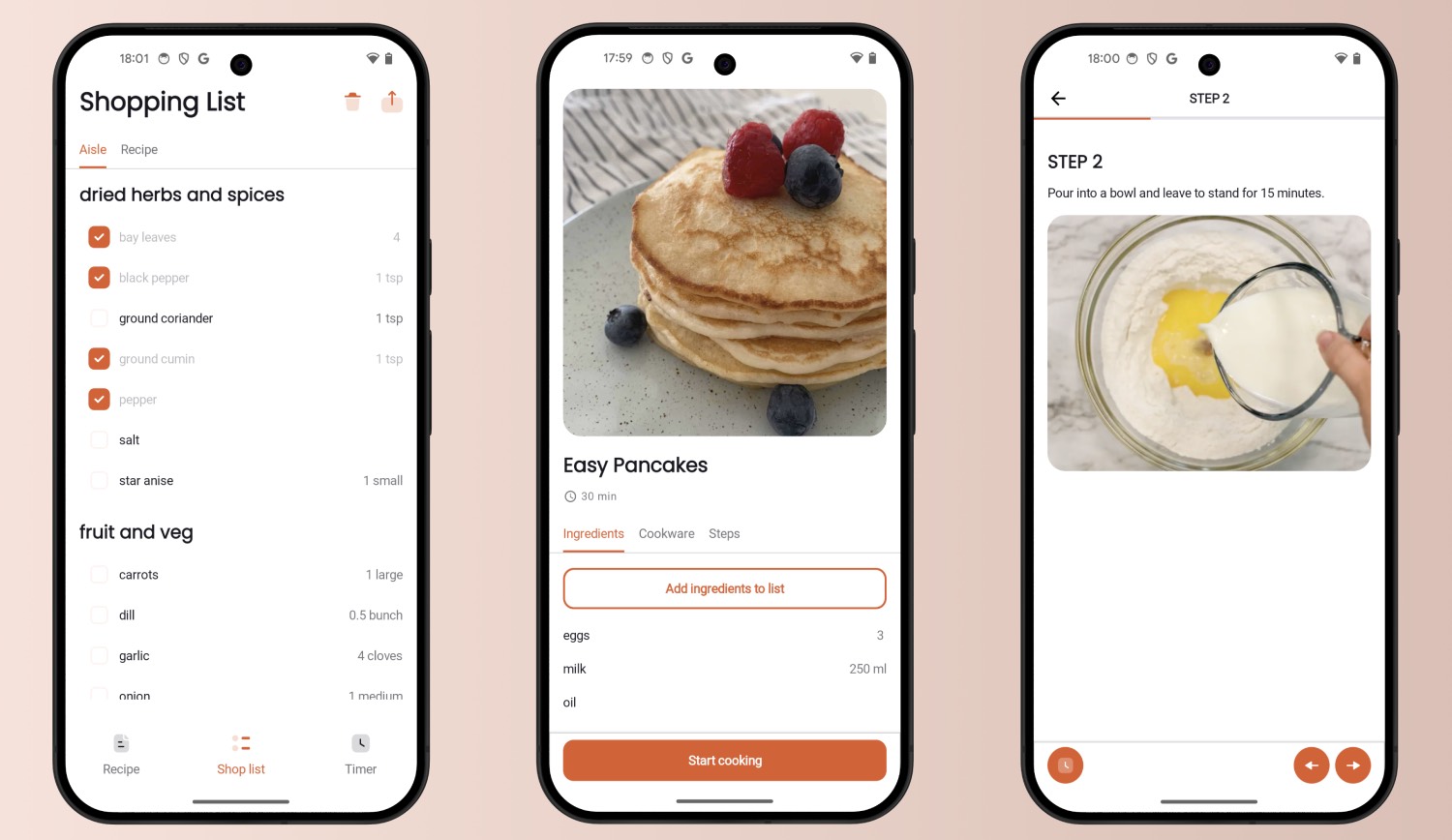
Download the free Cooklang App from the Google Play Store or Apple App Store. Open a recipe, scale it, start timers straight from the steps, and tick ingredients off a shopping list grouped by aisle.
When you first open the app, choose where your recipes live — on iOS and Android alike, and you can change it later in the app settings:
- A folder you pick from the phone's file system. That can be a folder synced by iCloud Drive, Dropbox, Nextcloud or Syncthing.
- Cook Cloud, our hosted sync.
Want the same recipes on your computer too? See Sync across devices.
Import recipes you already have
- Any recipe on the web: put
cook.md/in front of its address in your browser's address bar, e.g.https://cook.md/https://bbcgoodfood.com/recipes/easy-pancakes/. No account needed.
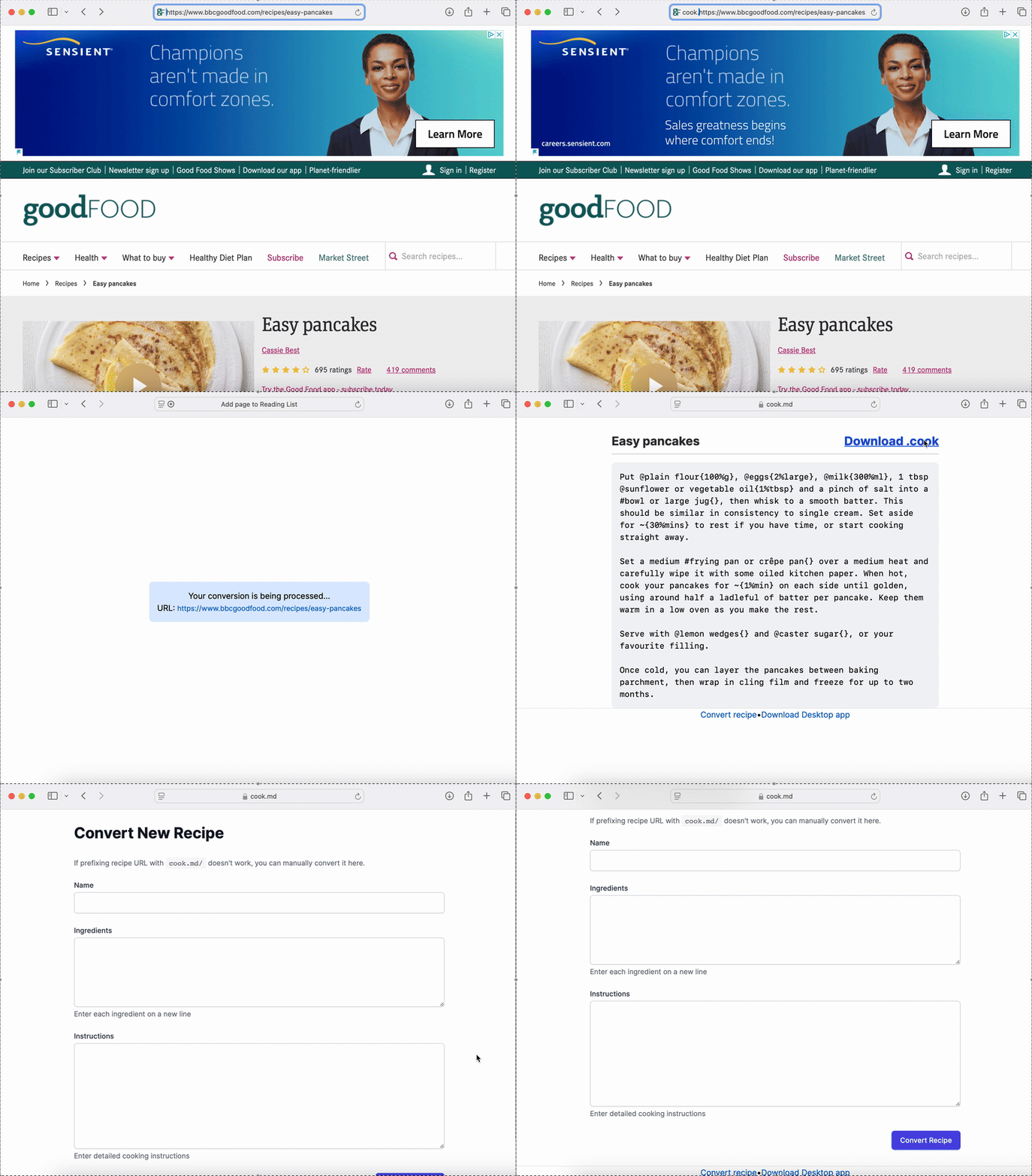
- Pasted text, cookbook photos, handwritten cards, YouTube and Instagram: use the converter on cook.md. Pasted text needs a free account; photos and social videos come with Cook Basic.
- Your whole library from Paprika, Mela, Mealie and other apps: batch import with Cook Basic brings everything across as
.cookfiles. - From a script:
cook importin CookCLI.
The importing guide walks through each method.
Write your own recipes
Cooklang recipes are plain .cook text files. The syntax is simple: @ names ingredients, # marks cookware, ~ sets timers, and -- adds comments. Multi-word ingredients end with {}, quantities go inside {}, and units follow %.
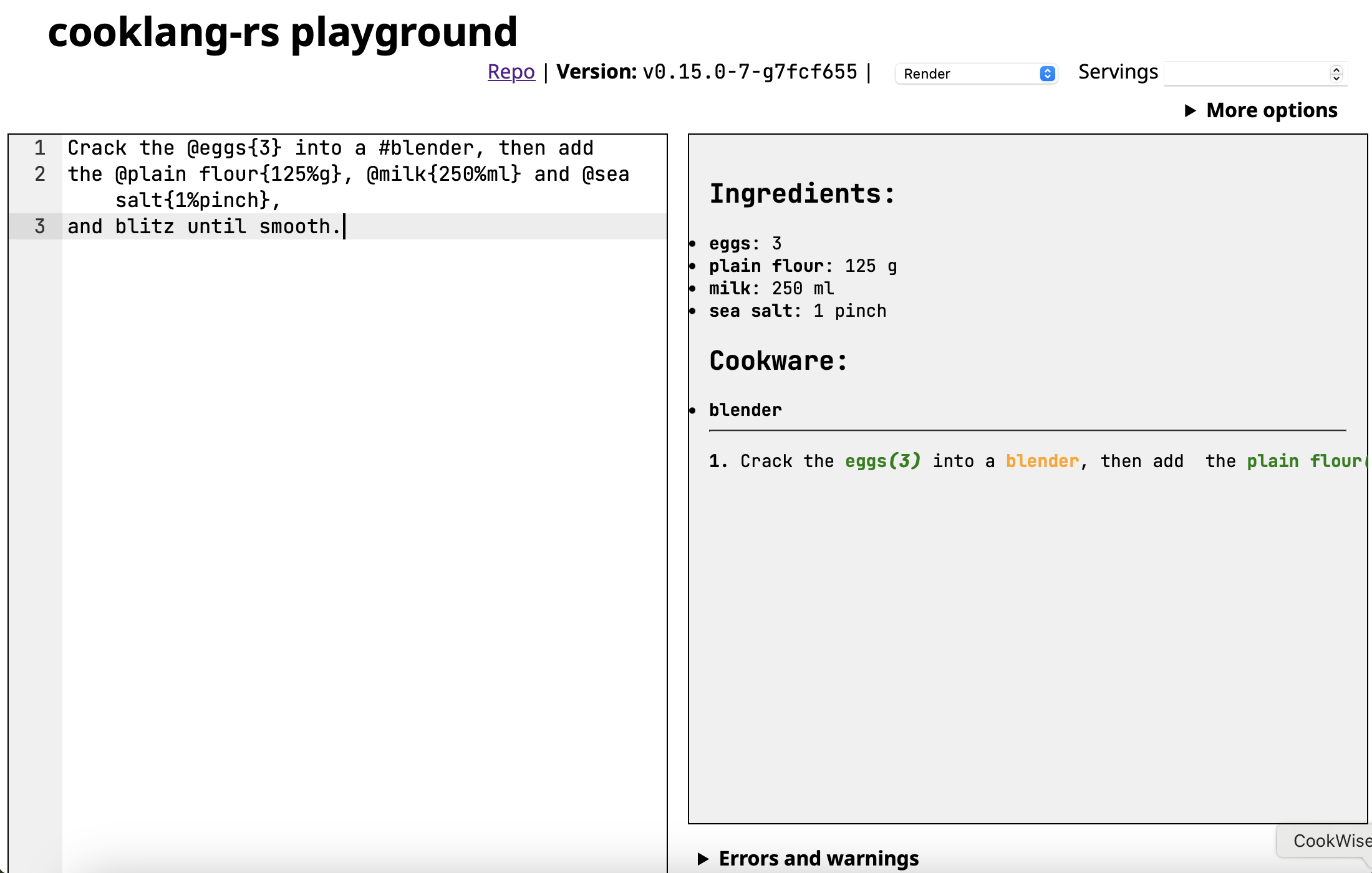
Try it without installing anything: the Playground lets you write and preview recipes in your browser.
For the full syntax reference, see the Cooklang specification. For habits that keep a collection easy to work with, see best practices.
Editor Setup
Syntax highlighting makes writing recipes easier. Pick the editor you like:
- Cook Editor: a free, open-source desktop app for macOS, Windows and Linux, with highlighting, live preview, shopping lists and meal plans.
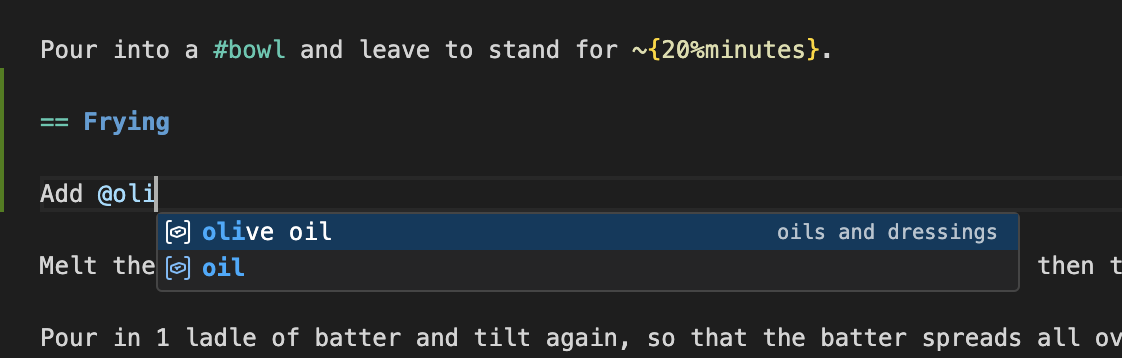
- VS Code: install the Cooklang extension from the marketplace.
- Vim/Neovim: add a Cooklang syntax file.
- Sublime Text: use a Cooklang syntax package.
- More options: see the syntax highlighting documentation.
Sync across devices
Recipes are plain files, so anything that syncs a folder can sync your recipes. Both the iOS and Android apps give you the same two options.
Free: a folder you already sync
In the app, pick a folder from the phone's file system as your recipe storage. Make it a folder kept in sync by a service you already use — iCloud Drive, Dropbox, Nextcloud or Syncthing — and the same folder on your computer works with the Cook Editor, CookCLI and every other Cooklang tool.
Cook Cloud: one setup on every device
Cook Cloud keeps one folder of .cook files in sync across macOS, Windows, Linux, iOS and Android, with no third-party cloud to set up. Install the Cook Sync Agent on your computer, point it at your recipes folder, and sign in to the same account in the apps. Sync is part of Cook Basic (€4.99/month); accounts created before the paywall keep syncing free. The subscription pays for the servers and for the time that keeps everything else — the apps, the Cook Editor, CookCLI and the language itself — free. Compare plans.
Organize your recipes
Keep recipes in folders (e.g., breakfast/, dinner/, desserts/). You can nest folders as deep as you like; every Cooklang app and CookCLI understands them.
Plan meals and shopping lists
Configure aisle.conf for Shopping
Add config/aisle.conf to your recipes folder to group ingredients by shopping aisle, making grocery trips more efficient. Learn more in the shopping guide.
Plan Your Week with Menu Files
A .menu file describes what you're cooking on which day, referencing recipes from your collection.
One CookCLI command turns the whole plan into a shopping list:
The Cook Editor renders .menu files as a week view with the combined shopping list built in, and the mobile apps add recipes to the shopping list with one tap. See the meal planning guide for a full example.
Want the week drafted for you? CookBot in the Cook Editor drafts a plan from your own recipes against a target like more protein or a smaller shop, and shows every change as a diff you approve. It's part of Cook Pro.
Keep recipes in Obsidian
Manage recipes alongside your notes with the Cooklang plugin for Obsidian. Recipes stay .cook files in your vault, so the same folder also works with the mobile apps, the Cook Editor and CookCLI.
Use with AI tools
- CookBot in the Cook Editor imports recipes and drafts meal plans from your own collection, with every change shown as a diff you approve. It comes with Cook Pro (€12.99/month, 7-day free trial).
- Cooklang Skills: if you use an AI coding assistant like Claude Code or Codex CLI, Cooklang Skills let you create, convert, validate and organize recipes in natural language. Some skills work standalone; others work best with CookCLI installed.
- MCP: Cook Cloud's MCP server lets Cursor, ChatGPT or any agent you already use read your recipes with nutrition attached.
Command-Line Interface (CookCLI)
CookCLI is a command-line tool for automating your recipe workflow. It follows the UNIX philosophy: each command does one thing well and can be combined with other tools.
Install from GitHub Releases, or on macOS: brew install cookcli.
For the full CLI reference, see the CLI documentation. Because recipes are plain text, Git works well for tracking changes and sharing a collection.
Self-host a recipe server
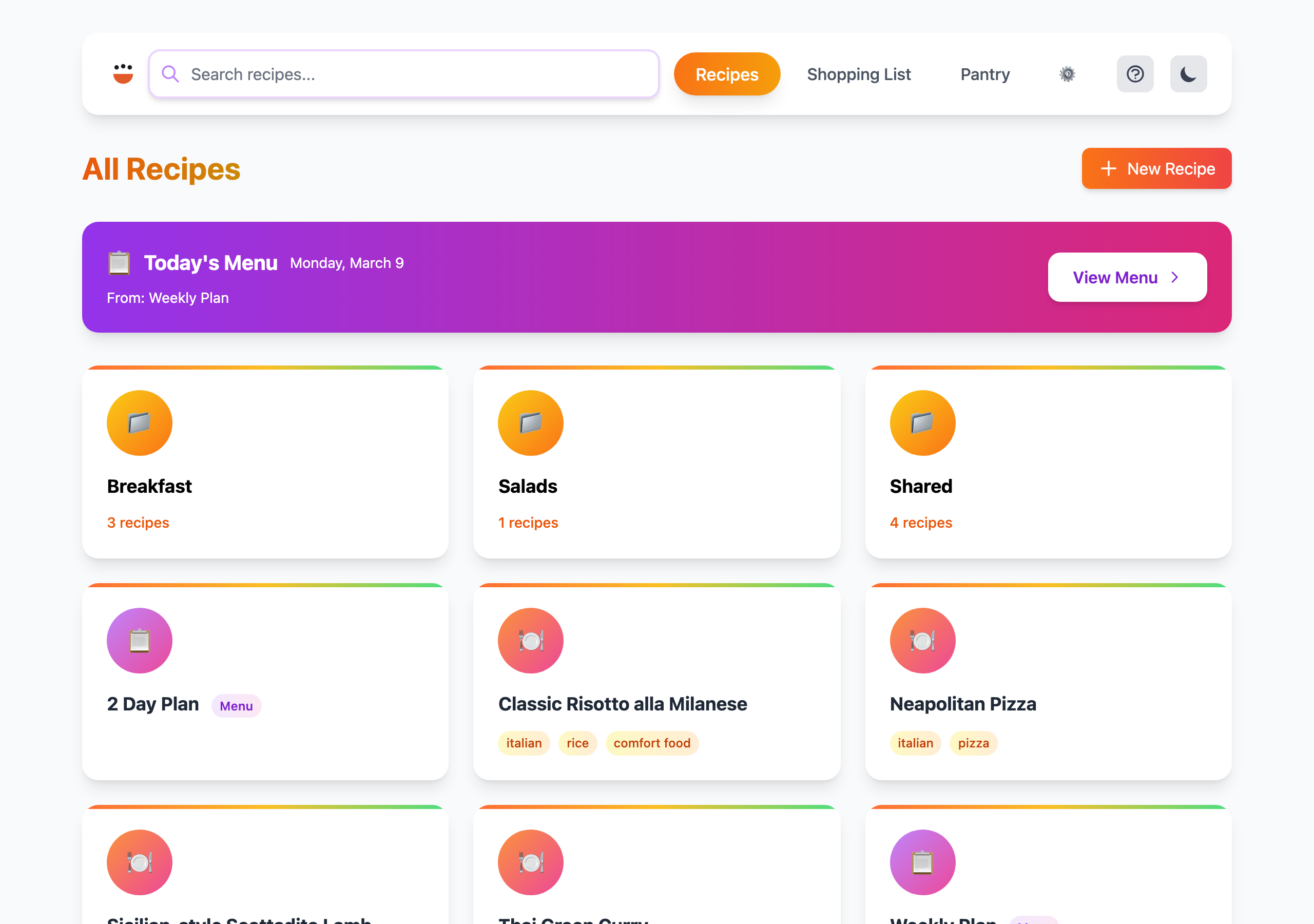
cook server turns your recipes folder into a web app: browse and search recipes, scale them, build a shopping list and keep a pantry. Add --host to reach it from other devices on your network:
See the web UI in action at demo.cooklang.org.
- Always on: run it on a Raspberry Pi for the whole household.
- No server at all: publish your recipes as a static website on GitHub Pages or Netlify.
- All options: see the
cook serverreference.
Build on the format
- Specification: the Cooklang spec defines the syntax; the conventions cover shared metadata.
- Parsers and libraries: see For Developers for the reference Rust parser and community parsers in Go, JavaScript, Python and more.
- Try the parser: the Playground shows the parsed output of any recipe.
- Discuss changes: proposals and questions live in spec discussions.
Join the Community
Find curated recipes, share your thoughts, or ask for help:
- The Cooklang Recipe Hub
- The Awesome Cooklang repository
- Community discussions and Discord
What's Next?
- Check out the best practices guide.
- Open an issue in the Cooklang GitHub repository.
- Join us on Reddit, Discord, and Twitter.
- Subscribe to the newsletter!