Cooking Timers That Live Inside Your Recipes
You're halfway through a recipe. Three things are happening: pasta is boiling, garlic bread is in the oven, and the sauce needs to simmer for ten more minutes. You set three separate timers on your phone, but now you can't remember which timer is which. Was the 12-minute one the pasta or the bread?
This is a solved problem. It just requires putting the timer where it belongs — inside the recipe step.
Timers as Part of the Recipe
In Cooklang, a timer is part of the instruction text, not a separate app:
The ~{8%minutes} isn't just a notation — it's a timer your app can start. When you're reading the recipe on your phone, you tap "8 minutes" and a countdown begins. The timer is contextual. You know exactly what it's for because it's embedded in the step that needs it.
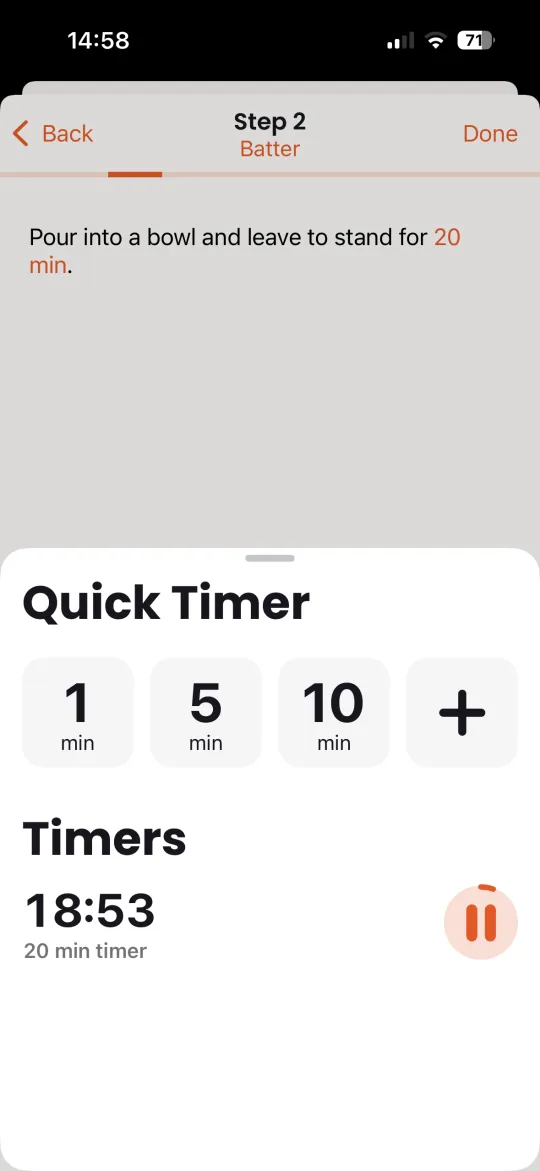
Named timers make this even clearer:
Two timers, two names. When the notification fires, it says "bread" or "bread crust" — not "Timer 1" or "Timer 2."
Multiple Timers, No Confusion
Real cooking is concurrent. You're not doing one thing at a time. A Sunday roast might have:
- Beef resting for
~beef{15%minutes} - Yorkshire puddings in the oven for
~yorkshires{20%minutes} - Gravy reducing for
~gravy{10%minutes}
The Cook app runs all of these simultaneously. Each timer has its own circular progress indicator and name. You can pause, restart, or add a minute to any timer independently. When each one completes, you get a notification with a sound — even if your phone is locked or the app is in the background.
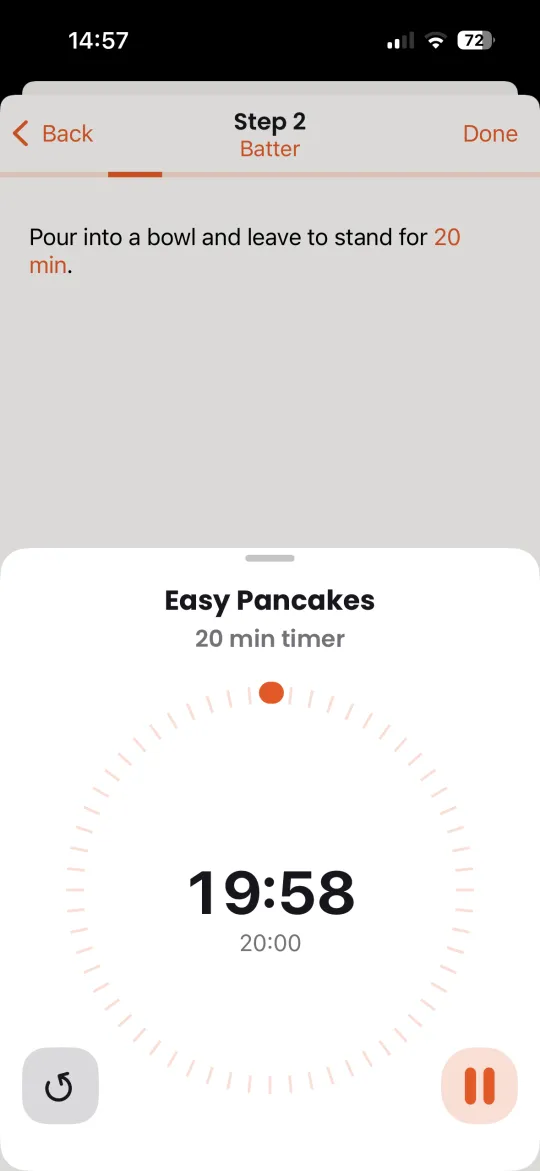
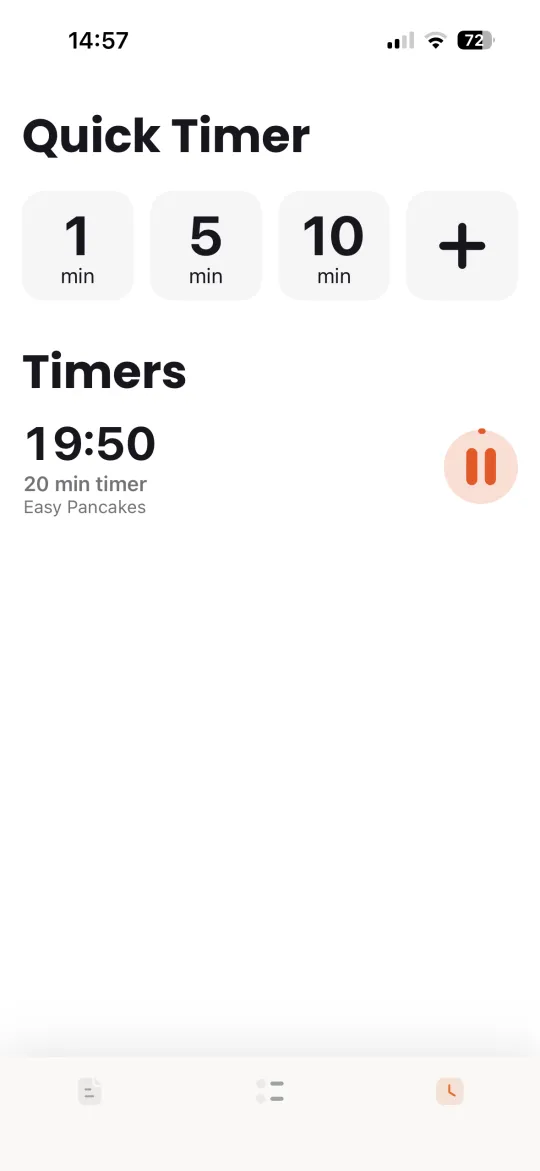
No more asking "which timer was that?"
Long Timers: Fermentation, Brining, and Slow Processes
Most timer apps max out at a few hours. They're built for stovetop cooking where ten minutes is a long time. But cooking doesn't stop at the stovetop.
Cooklang timers go up to 999 hours. That's over 41 days. This opens up a whole class of recipes that other tools can't handle:
A week-long kimchi ferment. A three-day pickle. A 24-hour braise. These are all real recipes with real timers. You set it when you start the process and get a notification when it's time to check.
This works particularly well for:
- Sourdough bread — bulk ferment, cold retard, proofing stages
- Kimchi, sauerkraut, and lacto-fermented pickles — days to weeks
- Kombucha and kefir — first and second fermentation stages
- Brining and curing — overnight to multi-day
- Slow-cooked stocks — 12 to 48 hours
- Yogurt making — 8 to 24 hours incubation
How It Works in the App
When you open a recipe in the Cook app (iOS or Android), timer steps are highlighted and tappable. Here's the flow:
- Tap the time in any cooking step — a timer starts immediately
- Watch the progress — circular countdown with the timer name and remaining time
- Run multiple timers — each runs independently with its own controls
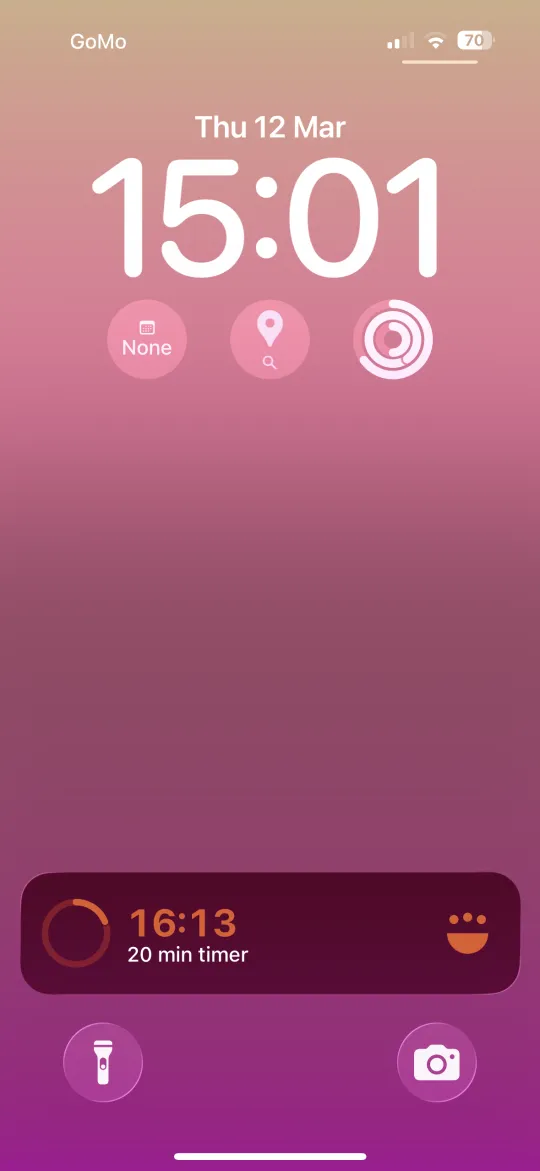
- Get notified — sound alert and notification on your lock screen when time is up
- Adjust on the fly — pause, restart, or add a minute with a tap
Timers keep running in the background. Lock your phone, switch to another app, put it in your pocket — the timer stays active and will alert you when it's done.
Timers in Other Cooklang Tools
The timer syntax works everywhere in the Cooklang ecosystem, not just the mobile app:
- Obsidian plugin — interactive countdown timers right in your note, with notification sounds
- CookCLI — the web server displays timers in recipe steps
- Custom integrations — any parser that reads Cooklang can extract timer data and build UI around it
Because timers are part of the recipe text, they're preserved when you share, export, or sync your recipes. They're not app-specific data locked in a database — they're right there in the plain text.
Writing Timer Syntax
The full timer syntax is simple:
Units can be anything that makes sense — minutes, hours, seconds, min, hrs. Some examples:
| Syntax | What it means |
|---|---|
~{25%minutes} | 25-minute anonymous timer |
~eggs{7%minutes} | 7-minute timer named "eggs" |
~dough{2%hours} | 2-hour timer named "dough" |
~cold retard{12%hours} | 12-hour overnight retard |
~first ferment{7%days} | 7-day first fermentation |
Why This Matters
Standalone timer apps solve the wrong problem. They give you a countdown, but they don't tell you what you're counting down. The context lives in the recipe, and the timer lives somewhere else. You become the bridge between them, and bridges fail under pressure — especially when you're juggling a hot pan and a screaming smoke detector.
Embedding timers in recipe text eliminates this gap. The timer is the instruction. You don't need to remember what 12 minutes was for. You don't need to set up timers before you start cooking. You just follow the recipe, tap when you get to a timed step, and keep going.
And for fermentation — a process where "check back in three days" is a real instruction — having a timer that actually runs for three days and notifies you is the difference between a successful batch and a forgotten jar at the back of the counter.
Try writing a recipe with timers →
-Alex